Beauty Camera & Makeup Camera
- 4.6
- Rating
- 1.00M
- Installs
- Free
- Price

 Analysis by App-foxy
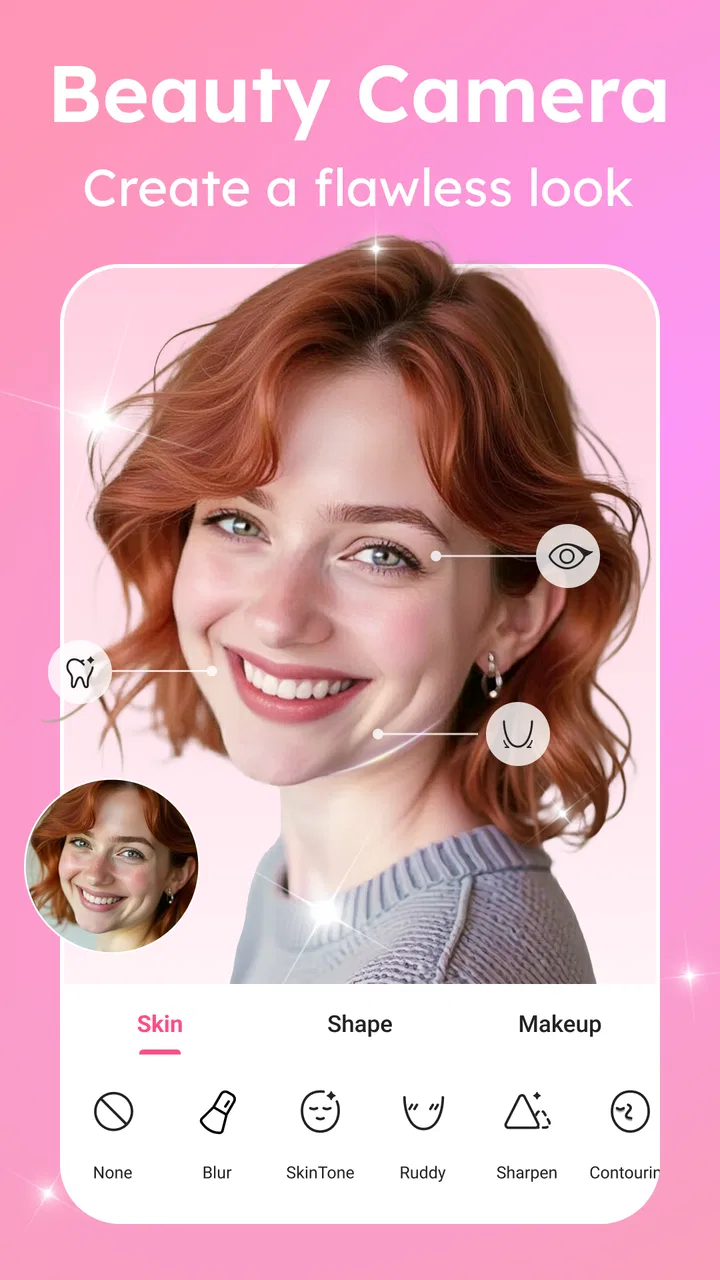
I tried Beauty Camera & Makeup Camera as the sort of app I would keep nearby for quick portraits, profile pictures, and casual social posts rather than as a replacement for a full photo editor. It is a free beauty app from 1 Bit, built around face retouching, makeup effects, reshaping, stickers, and general photo adjustments. That combination makes it easy to understand: take a picture, make a few changes, and save something that looks more polished without spending time learning complicated controls.
What stood out to me is the balance between instant results and manual correction. The app is clearly designed for people who want a fast visual improvement, but it still gives enough editing options to avoid accepting one fixed filter. In everyday use, that matters. A beauty effect that looks attractive on one face can look artificial on another, so being able to reduce the intensity or combine tools carefully is more useful than having a huge collection of dramatic presets.
How the current version feels in everyday use
The current release is version 1.4.1, and the app feels focused on a straightforward camera-and-editor workflow. I would use it in two main ways: capture a new portrait inside the app, or bring an existing photo into the editing process and improve it afterward. That second approach is important because it lets me choose a picture with better lighting or a more natural expression before applying any beauty adjustments.
You May Also Like

 Blood Strike: 2.5 Anniversary
Blood Strike’s Loadouts Turn Every Drop Into a Tactical Gamble
A close look at Blood Strike’s custom loadouts: how fast access to signature weapons reshapes its battle royale rhythm, rewards preparation, and narrows the gap between fights.

 Pandora - Music & Podcasts
Pandora’s Music Is Easy to Start, but Harder to Recover
Pandora’s strength is its low-effort path from a seed to a station. Its weak spot is how much confidence it asks you to place in connection, setup, and quiet recovery.

 8 Ball Pool
 Is Built on Rivalries, Rematches, and Routine
A close look at the rivalries, rematches, shared routines, and unanswered safety questions that turn a quick pool match into a persistent mobile community.

 Samsung Music
’s Quiet Strength Is Playing What You Already Own
Its reach comes less from spectacle than from dependable access to a personal library. That simplicity is both the app’s strongest retention engine and its ceiling.

 AccuWeather: Weather Radar
AccuWeather Review: A Quick, Clear Forecast for Everyday Decisions
For everyday plans, the best forecast is the one you can understand quickly. AccuWeather makes rain timing, radar, and local conditions easy to act on, with a few trade-offs.

 Hill Climb Racing
Why Hill Climb Racing Still Turns Crashes Into One More Run
A tiny car, a bumpy hill and one more upgrade: Hill Climb Racing keeps resurfacing because its simple chaos makes every near-miss feel personal.
More From Our News Desk
View All News


The main appeal is convenience. Instead of opening separate apps for skin smoothing, makeup, face shaping, stickers, and basic photo corrections, I can explore those jobs in one place. The store summary describes the core tools as skin smoothing, shape adjustment, makeup, AI stickers, and photo editing, and that is a useful description of the app’s role. It is not trying to be a professional retouching workstation; it is a compact beauty toolkit for quick visual edits.
I found the best results came from treating the effects as finishing touches. A small amount of smoothing can help a portrait look cleaner, while heavy smoothing can remove the texture that makes a face look real. The same applies to reshaping. Used carefully, it can correct an angle or make a composition feel more balanced. Pushed too far, it becomes obvious that the image has been altered, especially around the jawline, hair, or background edges.
That gives the app a practical learning curve. A first-time user can start with the obvious automatic options, but the more satisfying results come from checking the image at normal size and dialing back anything that changes the face too aggressively. My advice is to make one adjustment at a time, pause between changes, and compare the edited image with the original before saving. This is a simple habit, but it prevents the common problem of adding several strong effects without noticing how much the portrait has changed.
Portrait editing without a complicated setup
For a quick selfie, the workflow is more convenient than opening a traditional editor with a crowded collection of unrelated tools. Beauty Camera & Makeup Camera keeps the focus on appearance, which means I spend less time searching for the right kind of adjustment. Someone preparing a new profile photo, for example, can work from a well-lit image, soften small distractions, add restrained makeup, and finish with a little color correction.
I also see value for people who do not want to learn layers, masks, curves, or detailed manual retouching. Those controls are useful in advanced editors, but they can make a five-minute portrait task feel like a project. This app is better suited to a quick decision: does the image look more presentable now, and does it still look like me?
The makeup tools are particularly useful when the goal is experimenting rather than creating a completely realistic cosmetic result. I can use them to preview a different look for a photo, try a stronger style for a themed post, or add a little definition when the original lighting made the face appear flat. The trade-off is that virtual makeup can depend heavily on the source image. Uneven lighting, a tilted face, or hair crossing the forehead may make the result less convincing.
AI stickers add a more playful direction. I would not use them for a formal headshot, but they make sense for casual messages, social posts, and photos where personality matters more than realism. They also give the app a broader audience than a purely corrective retouching tool. If you want a clean portrait, you can ignore them; if you want something expressive, they provide an easy way to change the mood without manually drawing over the image.
What changed, and what that means for users
The app was released on October 29, 2021, and its current version shows that it has continued as an actively maintained product rather than remaining at its initial launch state. I would not interpret a version number alone as proof of a major redesign, but it does give existing users a useful reference point: the app they open today is the 1.4.1 release, not the earliest version they may remember.
For someone installing it now, that evolution mainly matters because the experience is likely to be judged as a complete beauty editor rather than only a basic selfie filter. The combination of face adjustments, makeup, stickers, and photo editing makes the app more flexible than a single-purpose camera effect. For an existing user, the practical question is whether the current tool mix still fits their workflow. If they already use it for quick portraits, the newer version is best approached as a continuation of that routine, with the benefit of using the current build rather than relying on an older installation.
I would still keep expectations realistic. A version update does not automatically mean that every effect will work perfectly on every face or every phone. Beauty processing depends on the source photo, and no software can completely overcome poor lighting, motion blur, or an awkward angle. The most reliable improvement remains choosing a clear image first. The app can refine a decent portrait much more effectively than it can rescue a badly captured one.
Existing users may also notice that the app’s appeal depends on restraint. When beauty apps add more creative options, it becomes tempting to combine smoothing, reshaping, makeup, and stickers in one pass. That can be fun, but it is not always the best workflow. I prefer saving a natural-looking version before trying a more stylized one. That way, I can return to the balanced edit instead of starting over if the final result becomes too strong.
Three workflows that make the app more useful
My first recommended workflow is for a profile picture. I would select a photo with the face clearly visible, apply only moderate skin smoothing, check the face shape correction at the edges, and then use a small amount of makeup if the image looks washed out. I would finish with a general photo adjustment rather than another face effect. This keeps the portrait recognizable while making it look more deliberate.
The second workflow is for a social post where realism is less important. Here, I would begin with a simple portrait, try an AI sticker, and then adjust the overall image so the sticker and face do not compete for attention. The useful insight is that the sticker should support the expression, not cover the most important facial details. A playful overlay works better when the original image remains readable.
The third is a comparison workflow for deciding whether an effect is helping. I would create a light edit, save or preview it, then make a stronger version separately. Looking at both versions after a short break makes the difference easier to judge than repeatedly tapping the same control. In my experience, the lighter version is usually the one I would actually share, while the stronger version is useful for seeing where the tool’s limits begin.
These workflows also answer a practical question many new users have: do I need to use every feature? No. The app works perfectly well as a focused retouching tool, and ignoring stickers or dramatic makeup does not reduce the value of its basic portrait controls. Likewise, someone interested mainly in creative effects can skip detailed skin adjustments. The best experience comes from treating the feature set as a menu rather than a checklist.
Where it fits among other beauty and photo apps
Compared with a general photo editor, this app is quicker for face-centered work. A broad editor may offer stronger control over exposure, color, cropping, and composition, but it often makes beauty adjustments feel like one small part of a much larger system. Beauty Camera & Makeup Camera puts the portrait first, so I would choose it when the face is the main subject and speed matters more than pixel-level control.
Compared with a camera app that offers only live filters, it has a more flexible editing mindset because I can work with an existing image and combine several kinds of changes. That is useful when I already have a good photo and do not want to retake it. On the other hand, a live-filter camera may feel faster for people who want to see one finished look before pressing the shutter.
Compared with a professional retouching application, this is the less demanding option. It is easier to approach and better for casual users, but it will not be my first choice when I need precise masking, detailed color work, or careful control over individual areas of a complex image. A photographer, designer, or anyone preparing commercial-looking portraits may prefer a more advanced editor. The trade-off is that advanced software requires more time and skill for the small edits this app handles quickly.
The app is also a better fit for people who enjoy experimenting with appearance than for users who want a completely untouched camera experience. If you dislike smoothing, virtual makeup, or playful overlays on principle, the feature set may feel unnecessary. I would skip it in that case and use the phone’s standard camera or a simple crop-and-light editor instead.
Costs, compatibility, and the points I would check first
Beauty Camera & Makeup Camera is free to install, with optional in-app purchases ranging from $0.99 to $14.99 per item. That makes it easy to test the basic experience before deciding whether any paid additions are worthwhile. I would recommend spending time with the free tools first rather than assuming that every attractive effect requires payment. The sensible question is whether the available workflow already solves the problem you have.
The app is rated for Everyone, which suits its casual focus and makes it approachable for a broad audience. It requires Android 8.0 or later, so compatibility is something I would check before planning to use it on an older phone. On a supported device, the more important practical factor is image quality: a newer camera with better lighting can make the same editing tools look more convincing than they would on a low-light, noisy photo.
One point I would watch carefully is the boundary between enhancement and distortion. Face reshaping can be useful for correcting perspective, but it can also alter proportions in ways that are difficult to notice while editing. I recommend checking the background near the shoulders and hairline, not just the face. If straight lines or nearby objects appear bent, the adjustment has probably gone too far.
I would also be cautious with makeup effects on photos intended for professional identification, applications, or formal communication. A little cleanup may be harmless, but a strong cosmetic change can make the image less representative. For those situations, a general editor with restrained lighting and cropping controls is the safer choice. This app is at its best when the image is personal, creative, and allowed to have some style.
Who should use it, and who should look elsewhere?
I would recommend it to someone who wants a friendly beauty camera for selfies, profile photos, casual portraits, and creative posts. It is especially suitable if you prefer quick controls over a technical editing process, or if you want several portrait-focused options in one app. The free entry point also makes it reasonable to try without committing to a purchase immediately.
I would be less likely to recommend it to a user who needs professional retouching, exact color reproduction, or detailed control over individual parts of an image. It is also not the best match for someone whose priority is a completely natural camera output with no beauty processing. In those cases, the standard camera, a conventional photo editor, or a more advanced retouching tool would better match the goal.
The app’s rating of 4.6 from around 3.9 thousand ratings suggests that many users find the overall experience satisfying, while its install base of over one million shows that it has reached a substantial audience. I treat those figures as a useful sign of interest, not a guarantee that every effect will suit my face or editing style. The real test is whether the controls help me finish a photo faster without making it look less believable.
My view after using the full feature mix
The strongest reason to choose this app is its focused convenience: it brings smoothing, reshaping, makeup, AI stickers, and ordinary photo adjustments into a single beauty-oriented workflow. I like that it can serve both a restrained portrait edit and a more playful social image, provided I decide which direction I want before adding effects.
The main limitation is the same feature richness that makes it appealing. Strong tools can produce artificial results quickly, and the app cannot replace good lighting or a well-composed original photo. I would also keep a separate copy of the unedited image, especially when experimenting with face shape or makeup, because the natural version may become more useful later.
Looking ahead, I would pay attention to how future releases refine the balance between automatic effects and user control. The most valuable progress would be improvements that make subtle edits easier, preserve realistic skin texture, and handle hair and background edges more carefully. Those are the areas that determine whether a beauty edit feels polished or obviously processed.
Overall, I see Beauty Camera & Makeup Camera as a practical free app for quick, face-focused editing rather than a universal photo solution. It earns a place on my phone when I need a presentable portrait in a few minutes, want to test a makeup idea, or feel like adding a sticker to a casual image. I would use it with a light touch, keep the original photo, and switch to a more advanced editor whenever precision matters more than speed.
FAQs for Beauty Camera & Makeup Camera
01What is Beauty Camera & Makeup Camera used for?
Beauty Camera & Makeup Camera is designed to enhance selfies and portraits by applying virtual makeup and beauty effects. It offers a variety of filters and tools to smooth skin, adjust facial features, and add makeup effects, making it ideal for anyone looking to refine their photos effortlessly.
02Is Beauty Camera & Makeup Camera free to use?
The app is free to download and offers a range of basic features at no cost. However, it may include in-app purchases for additional filters, effects, and premium tools. Users can enjoy a trial of these features before deciding to purchase them.
03How user-friendly is Beauty Camera & Makeup Camera?
The app is designed with an intuitive interface, making it easy for users of all experience levels. It provides a straightforward navigation system with clear icons and instructions, allowing users to quickly access and apply various beauty effects to their photos with minimal effort.
04Does Beauty Camera & Makeup Camera work offline?
Yes, many features of Beauty Camera & Makeup Camera can be used offline once the app is installed. However, some advanced features or updates may require an internet connection, especially if they involve downloading new filters or effects.
05What are the main privacy concerns with Beauty Camera & Makeup Camera?
The app may request access to your device's camera and photo gallery, which is necessary for editing. It’s important to review the privacy policy to understand how your data is used and stored. Users should ensure they’re comfortable with the permissions before downloading the app.
Pros
- Easy-to-use interface for quick edits.
- Wide variety of filters and effects.
- Real-time makeup application feature.
- Customizable beauty tools for tailored results.
- Supports high-resolution photo saving.
Cons
- Contains in-app advertisements.
- Some features require a subscription.
- May over-process images if not careful.
- Limited support for older devices.
- Occasional app crashes reported.

Beauty Camera & Makeup Camera
Gallery